Everything important, kept on your phone.
IDs, assets, maintenance schedules, and credentials, with reminders that explain why they matter. Not on someone else's server, and no account needed.
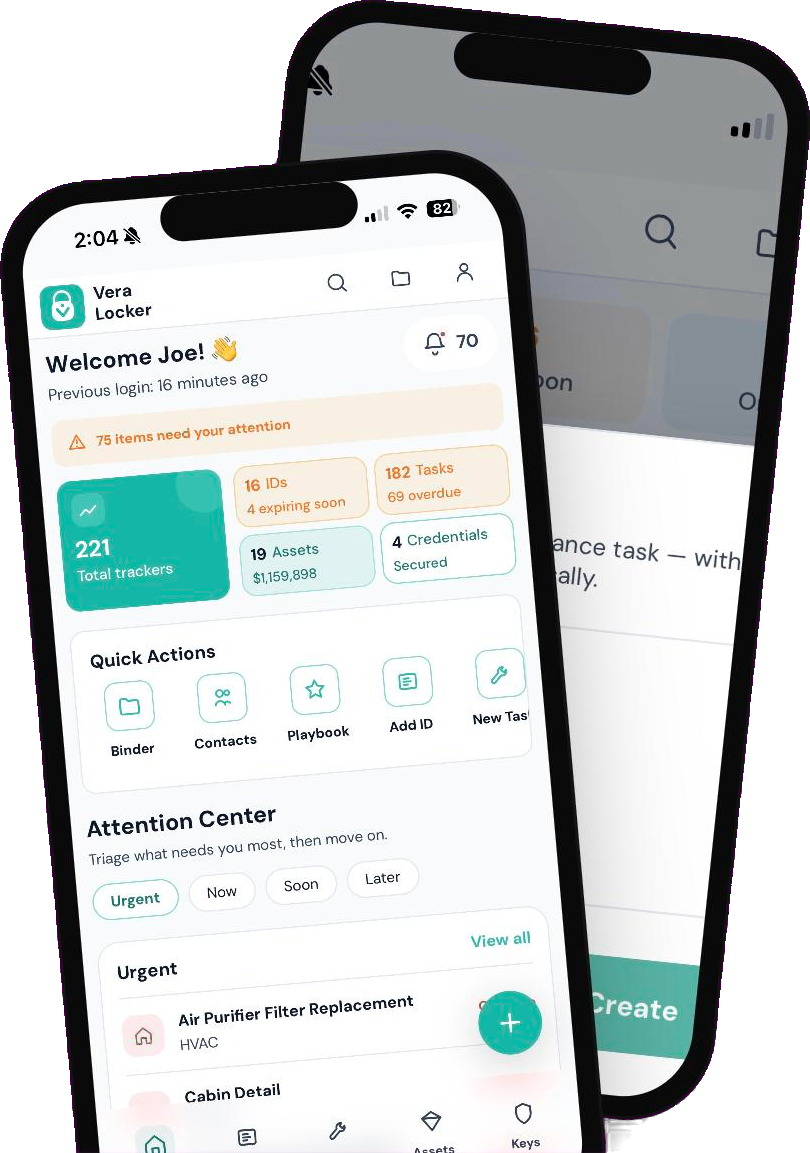
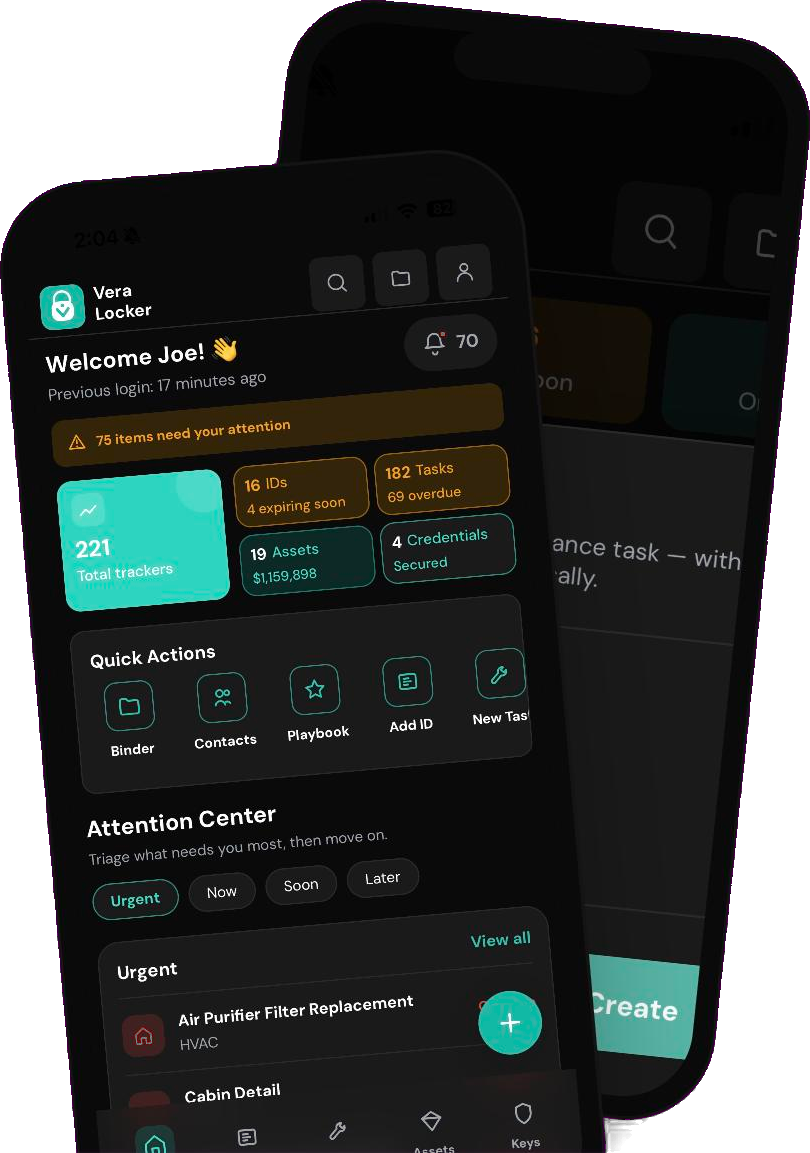
Everything important, in four moves.
Every feature in VeraLocker falls under one of four pillars—so nothing important falls through the cracks. Here's what each one actually means, and what it looks like in practice.
A passport is just a document — until its expiration date matters. A maintenance log is just notes — until it's the difference between a $40 fix and a $4,000 one. The moment something is worth keeping is the same moment it starts needing to be tracked, prepared for, and eventually handed to someone else.
The pillars aren't separate tools. They're stages the same thing passes through. Here's one family's passports, through all four:
Scanned the whole family's passportsKeep. Months before her son's ran out, a reminder flagged it, and why it mattered for summer travelTrack. The renewal checklist went into a Travel binderPrepare, and she shared it with her partner, who was booking the flightsShare.
Keep
Every ID, asset, and credential—described, valued, and ready when you need it.
Track
Reminders that explain the impact of skipping them, not just the date.
Prepare
Binders and AI that turn what you own into what you need to do next.
Share
Hand off access securely to a caregiver, a partner, or anyone who needs to be in the loop.
Your records are yours
Most apps that organize your life keep it on their servers, behind an account. VeraLocker stores everything on your phone, encrypted from the moment you add it, and keeps no copy of its own.
Nothing to sign up for, nothing to breach, and nothing for anyone to mine.
Your identity is yours
All data stored directly on your device.
Start without asking permission
No signup, no email, no account to compromise.
Export it, back it up, delete it—anytime
Automatic encrypted backups after each unlock, or export to a file you control—not our format.
It still works when the internet doesn't
Everything core to your vault—adding, finding, reminders—works fully offline.
When anything leaves your phone
Your vault stays on your phone. Something leaves it only when you choose an action that needs it, and even then only what that action needs:
- When you share with Secure Cloud Sharing (Pro)
- Only the item or binder you send, end-to-end encrypted so only your recipient can open it. It's deleted if it isn't picked up within 30 days.
- When you back up or export
- An encrypted file that stays on your phone until you copy it somewhere, like your computer or your own cloud drive.
- When you use AI (Pro, opt-in)
- Only the text the request needs. Passwords and other secrets are left out.
- When you connect a desktop (Pro)
- Records and attachments you open or edit travel through an end-to-end encrypted connection to the browser you approve. Your phone keeps the vault and its key; the relay cannot read the contents.
- If you turn on analytics
- Anonymous usage events, never your vault content. Off unless you switch it on.
- When Pro checks your trial or subscription
- An app-generated device ID, so Pro can unlock without an account.
Built differently, on purpose
Four of the ten reasons to keep everything important in VeraLocker.
One app for all your life admin
IDs, assets and warranties, home and vehicle maintenance, and logins with built-in 2FA codes live together, instead of across an inventory app, a calendar, a password manager, and a kitchen drawer.
Share without accounts
Connect once by scanning a QR code. Every share is end-to-end encrypted, and synchronized items keep one shared history for co-parents and caregivers.
Your backup, your file
Encrypted backups, manual or automatic, are free and saved as a file you control. Switch phones, or platforms, without asking anyone's permission.
A free core, and fair Pro pricing
The vault, reminders, backups, and your first binder are free forever. Pro is $1.99/month or $14.99/year with a 14-day free trial, no card needed to start, and it's shared with your Apple or Google family.
How VeraLocker compares
Compared with the kinds of apps people usually stitch together.
| Feature | VeraLocker | Cloud family organizers | Password managers | Notes & spreadsheets |
|---|---|---|---|---|
| Where your records live | Yes: On your phone | No: Their servers | Partly: Their servers, encrypted | Partly: Wherever you save them |
| Account required | Yes: No | No: Yes | No: Yes | Partly: Varies |
| IDs, assets, maintenance and logins in one place | Yes: Built in | Partly: Partly | Partly: Mostly logins | Partly: Build it yourself |
| Reminders that explain why | Yes: Every reminder | Partly: Usually date-based | No: Not their focus | No: None |
| Encrypted sharing without accounts | Yes: Connect once by QR code | No: Invite to their account | Partly: Shared vaults, account needed | No: Copy and paste |
Compared by type of app, based on publicly available product information. Individual products vary. As of October 2026.
Your complete digital locker
Keep what matters and know what needs attention. Everything here is free, except the cards marked Pro.
Asset Manager
Track warranties, serial numbers, and value of your physical and financial assets.
Credential Vault
Securely store account logins, PINs, 2FA and access codes for all your accounts in one place.
ID Tracker
Store driver's licenses, passports, and identity documents with expiration alerts.
Maintenance Log
Never miss an oil change or home repair with reminders that explain what's at stake if you skip it, not just when it's due.
AI Task Manager
AI turns your records into useful next steps—not just when something's due, but what happens if you skip it, and the fastest way to get it done.
Desktop Sessions
Search and edit records, organize binders, and import credentials in your desktop browser. Pair with an unlocked phone over an end-to-end encrypted connection; your phone keeps the vault.
Multiple Profiles
Keep the different hats you wear separate—Personal, Work, Volunteer—each with its own records, binders, and reminders, switched in one tap.
Print & PDF Export
Turn any binder into a clean PDF or printout—for insurance claims, estate paperwork, or a sitter's printed checklist.
Share with Family
Send items and binders to family or trusted contacts over end-to-end encrypted Secure Cloud Sharing, and keep a shared item's history in sync for both of you.
Smart Binders
Group related items into binders like 'Pet Care', 'Home Maintenance', or 'Vehicle'. Everything you need in one organized view.
Kept on your phone. Easier at your desk.
Search records, edit details, organize binders, and import credentials with a keyboard and a bigger screen. Connect your browser by scanning a QR code and approving it on your phone. No desktop installation or separate account.
Explore VeraLocker DesktopYour desktop
Read, edit, and organize
End-to-end encrypted
Your phone
Hosts your vault and keeps its key
One Binder, Anything That Matters
Group related items into a binder—pet care, home maintenance, a vehicle, a big trip. Everything lives together and stays up to date. Here's what a "Pet Care" binder looks like:
- Vet appointments & records
- Vaccination reminders
- Medication schedules
- Food & care instructions
- Emergency contacts
Pet Care Binder
12 items • Shared with 2 people
Simple, Transparent Pricing
Start free. Upgrade when you need more.
Free
Perfect for personal organization
- Unlimited ID tracking
- Asset management with warranty alerts
- Maintenance scheduling
- Credential storage with 2FA codes
- Expiration reminders
- Your first binder, free
- Encrypted backups, manual or automatic
- Share items and your first binder by QR code or file
- Face ID / passcode app lock
Pro
or $14.99/year (save 37%)
For families and power users
- Everything in Free
- Secure Cloud Sharing with synced history
- AI-powered task creation
- Unlimited Smart Binders
- Playbook binders
- Multiple profiles
- Encrypted desktop sessions
- Print & PDF export
You're in control
Start with a credential or a maintenance reminder. Add more when you're ready, and decide who else gets access.
First it was just her credentials. Then came the car's maintenance, her daughter's passport renewal, and sharing the whole vault with her husband—so nobody's the only one who knows where things are.
Set it up for home maintenance reminders. Six months later, his wife can look up how to reset the smart blinds, the sprinkler schedule, even the Wi-Fi password—without texting him.
It began as a place for her mom's medical documents after a move to assisted living. Now she and her sister manage their mom's accounts, medications, and care team from the same binder.
Ready to get organized?
Start free. Your vault stays on your device, and no account is needed.